YOLO-World is a zero-shot object detection model.
You can use YOLO-World to identify objects in images and videos using arbitrary text prompts.
To use YOLO-World effectively, we recommend experimenting with the model to understand which text prompts help achieve the desired results.
YOLO-World is faster than many other zero-shot object detection models. On powerful hardware like a V100 GPU, YOLO-World can run in real-time.
YOLO-World, like most state-of-the-art zero-shot detection models, is most effective at identifying common objects (i.e. cars, people, dogs, etc.). It is less effective at identifying uncommon objects (i.e. a specific type of car, a specific person, a specific dog, etc.).
In inference package YOLO-World models are identified by yolo_world/<version>, where <version> can be one of the following: s, m, l, x, v2-s, v2-m, v2-l, v2-x. Versions v2-... denote newer models, with improved evaluation metrics.
How to Use YOLO-World
Run the following command to set your API key in your coding environment:
export ROBOFLOW_API_KEY=<your api key>
Then, create a new Python file called app.py and add the following code:
import cv2
import supervision as sv

from inference.models.yolo_world.yolo_world import YOLOWorld

image = cv2.imread("image.jpeg")

model = YOLOWorld(model_id="yolo_world/l")
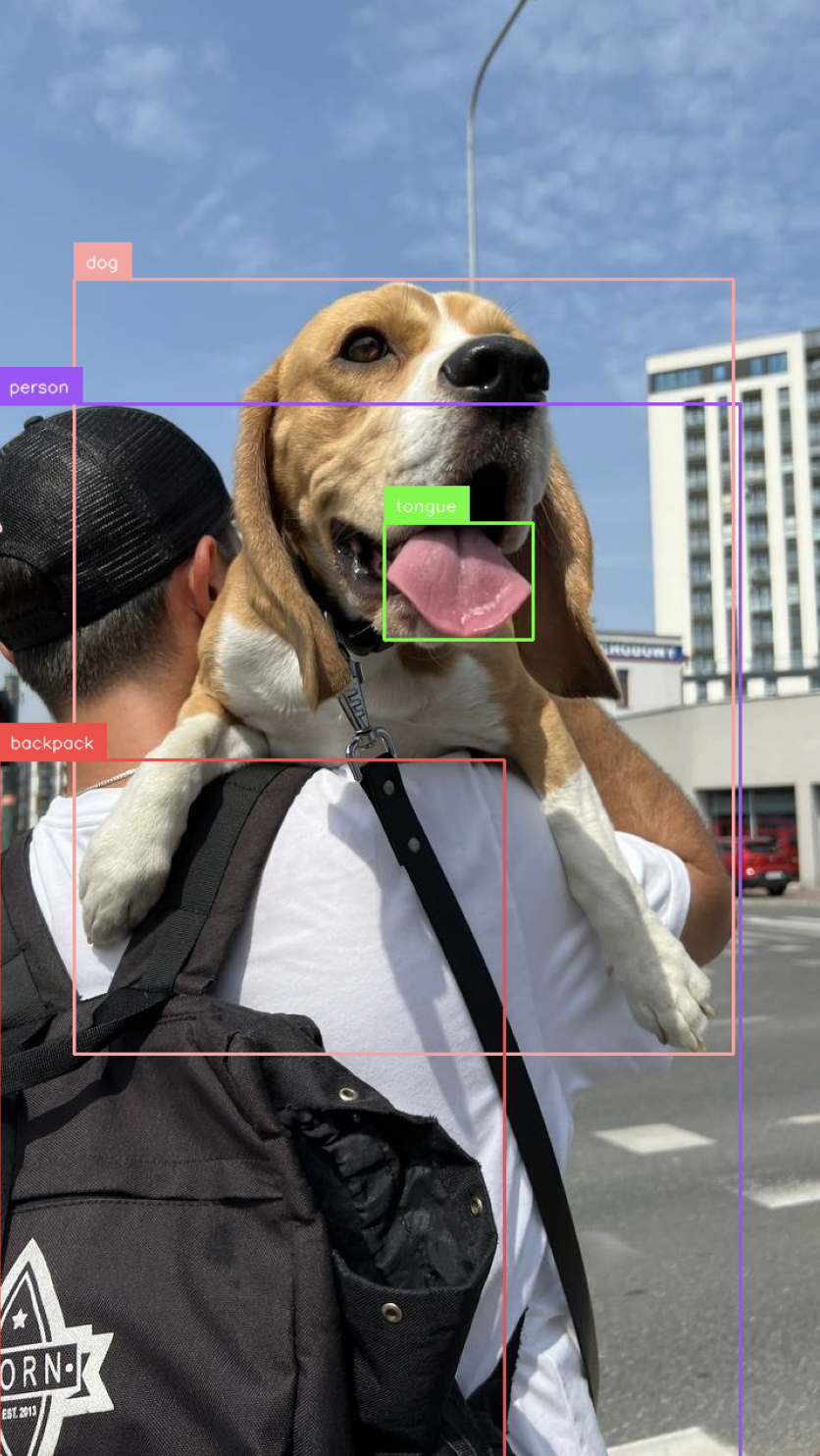
classes = ["person", "backpack", "dog", "eye", "nose", "ear", "tongue"]
results = model.infer("image.jpeg", text=classes, confidence=0.03)[0]

detections = sv.Detections.from_inference(results)

bounding_box_annotator = sv.BoxAnnotator()
label_annotator = sv.LabelAnnotator()

labels = [classes[class_id] for class_id in detections.class_id]

annotated_image = bounding_box_annotator.annotate(
    scene=image, detections=detections
)
annotated_image = label_annotator.annotate(
    scene=annotated_image, detections=detections, labels=labels
)

sv.plot_image(annotated_image)
In this code, we load YOLO-World, run YOLO-World on an image, and annotate the image with the predictions from the model.
Above, replace:
["person", "backpack", "dog", "eye", "nose", "ear", "tongue"]with the objects you want to detect.image.jpegwith the path to the image in which you want to detect objects.
Then, run the Python script you have created:
python app.py
The result from YOLO-World will be displayed in a new window.
Benchmarking
We ran 100 inferences on an NVIDIA T4 GPU to benchmark the performance of YOLO-World.
YOLO-World ran 100 inferences in 9.18 seconds (0.09 seconds per inference, on average).