Run a Model
Let's run a computer vision model with Inference. There are two ways to do this: the inference Python package which loads and runs models directly in your process, or the inference-sdk which sends requests to an Inference Server over HTTP.
Install
pip install inference-sdk
This will install a lightweight HTTP client that sends requests to an Inference Server.
Load a Model and Run Inference
from inference_sdk import InferenceHTTPClient

image = "https://media.roboflow.com/inference/people-walking.jpg"
client = InferenceHTTPClient(
    api_url="https://serverless.roboflow.com",  # or "http://localhost:9001" for self-hosted
    api_key="ROBOFLOW_API_KEY",
)
results = client.infer(image, model_id="rfdetr-small")
InferenceHTTPClient sends requests to an Inference Server (Roboflow-hosted or self-hosted). See the inference-sdk docs for more details.
When you run inference on an image, the same augmentations you applied when you generated a version in Roboflow will be applied at inference time. This helps improve model performance.
Model IDs
The model_id parameter can be:
- A pre-trained model alias (e.g.
rfdetr-small,rfdetr-large) - Your own fine-tuned model from Roboflow (e.g.
my-project/1) - A Universe model (e.g.
soccer-players-xy9vk/2)
Fine-tuned models and Universe models require an API key.
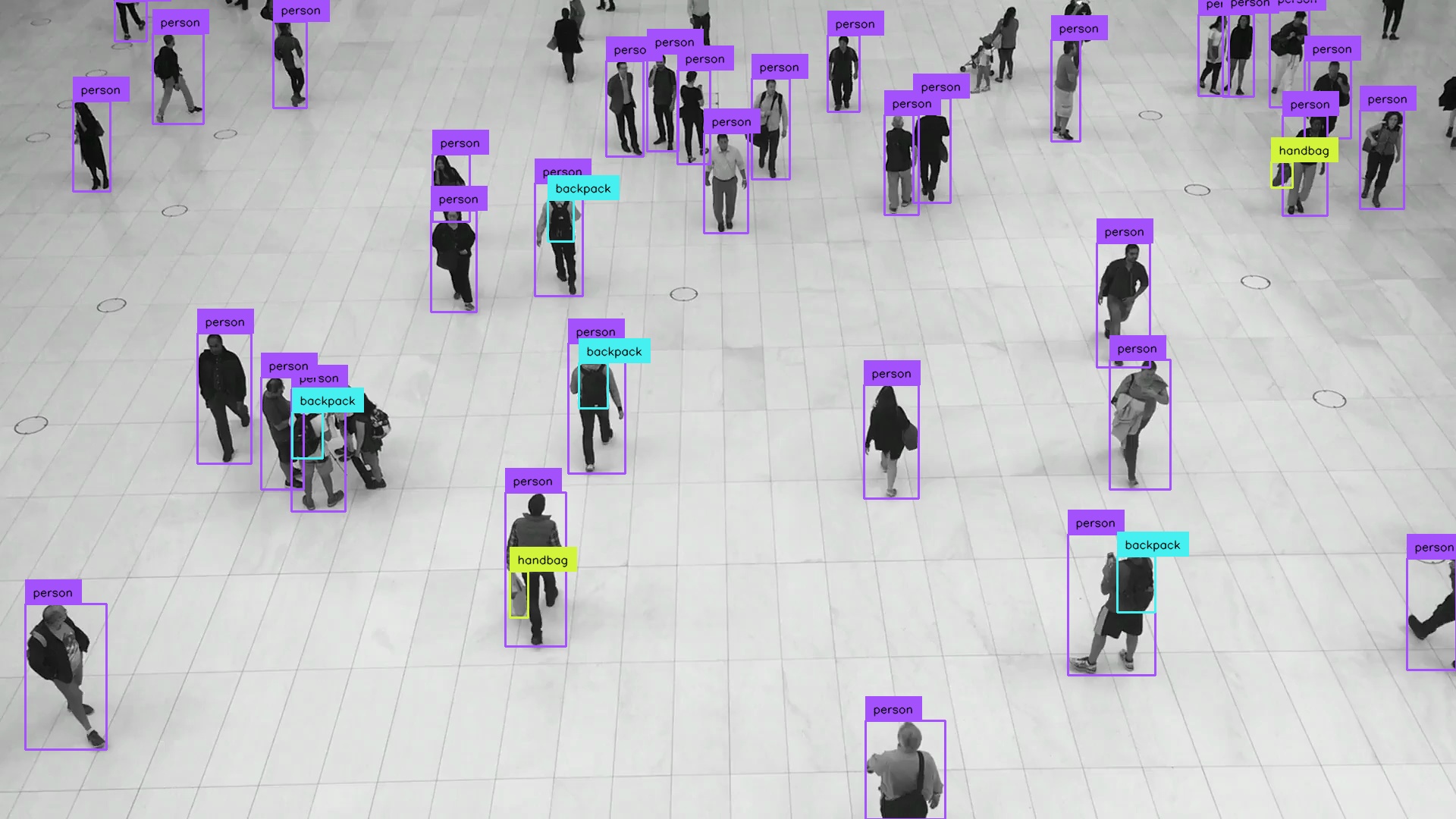
Visualize Results
To visualize results, also install Supervision:
pip install supervision
from io import BytesIO

import requests
import supervision as sv
from inference_sdk import InferenceHTTPClient
from PIL import Image

image = Image.open(
    BytesIO(requests.get("https://media.roboflow.com/inference/people-walking.jpg").content)
)

client = InferenceHTTPClient(
    api_url="https://serverless.roboflow.com",
    api_key="ROBOFLOW_API_KEY",
)
results = client.infer(image, model_id="rfdetr-medium")

detections = sv.Detections.from_inference(results)

annotated_image = sv.BoxAnnotator().annotate(scene=image, detections=detections)
annotated_image = sv.LabelAnnotator().annotate(scene=annotated_image, detections=detections)

sv.plot_image(annotated_image)
Next Steps
There are many different ways to use Inference depending on your use case and deployment environment. Learn more about how to use Inference.